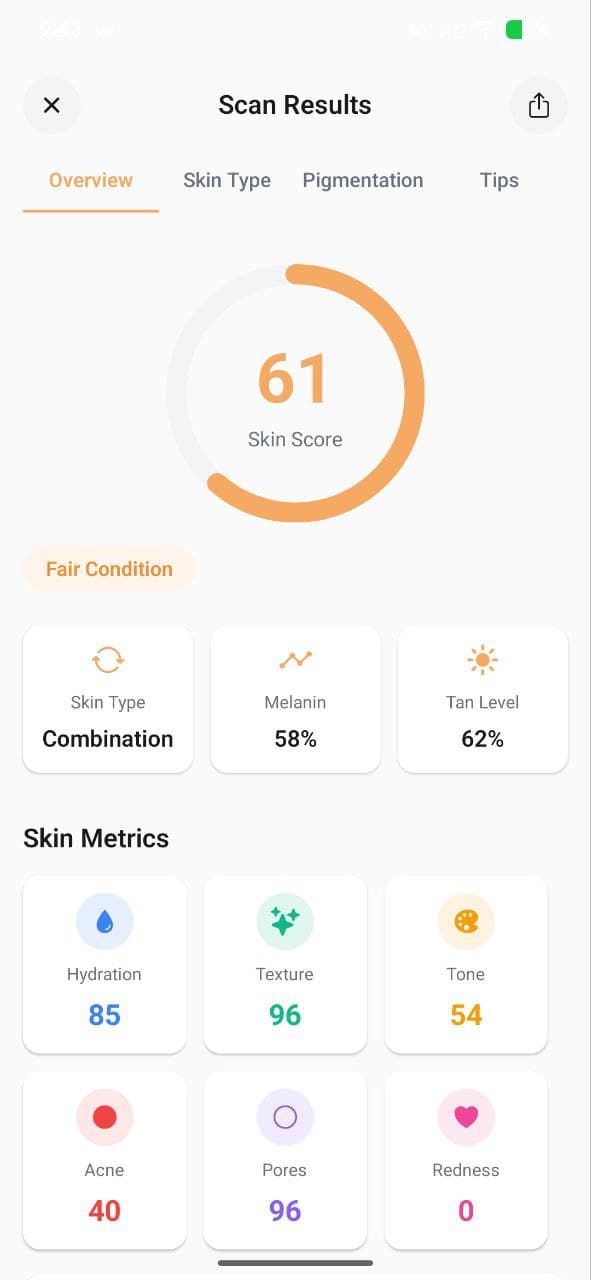
AISkincare offers two types of skin scans, each designed for different situations. Understanding when to use each will help you get the most out of the app.
Full Scan
A Full Scan is AISkincare's comprehensive AI analysis. It takes a detailed photo of your face and analyzes all six skin metrics — Hydration, Texture, Tone, Acne, Pores, and Redness — providing you with a complete skin health overview.
When to use Full Scan:
- First thing in the morning for your daily skin check
- After making changes to your routine (to see if they're working)
- When tracking progress week-over-week
Free tier: 1 full scan per day
Pro tier: Up to 10 full scans per day
Quick Scan
A Quick Scan is a faster, lighter analysis designed for quick check-ins throughout the day. It gives you a rapid skin score without the full detailed breakdown.
When to use Quick Scan:
- Mid-day skin checks
- After applying products to see immediate effect
- When you want a quick score without a detailed report
Free tier: 5 quick scans total
Pro tier: 25 quick scans
Guided Camera
Both scan types use our Guided Camera feature, which helps you position your face correctly, checks lighting conditions, and ensures you're in a well-lit environment for the most accurate results.
Tips for the best scan:
- Use natural or bright indoor lighting
- Remove makeup and skincare products first
- Face the camera directly
- Keep your face centered in the frame
Which Scan Should You Pick?
For daily tracking and building a comprehensive skin history, use Full Scans once or twice daily. Use Quick Scans for on-the-go check-ins when you don't need the full report.
More from the Blog
Understanding Your 6 Skin Metrics: Hydration, Texture, Tone & More
AISkincare analyzes six key metrics every time you scan — Hydration, Texture, Tone, Acne, Pores, and Redness. Learn what each score means and how to improve them.
Track Your Skin Progress: Compare Scans Over Time
Our scan comparison feature lets you see side-by-side how your skin has improved. Learn how to track hydration, texture, and more over weeks.
Building Your Perfect Routine: AM, PM & Evening Slots
AISkincare's Routine Creator helps you organize your morning, afternoon, and evening skincare steps. Here's how to build a routine that works.